Skip to content
Digital Runner, torna alla home

Development and integrations · Getting systems talking

Platform integrations and AI automation

WHAT WE CONNECT
CRM, e-commerce, management software, email and the other tools you already use, through their APIs
WITH WHAT
n8n and Make when they're enough, code we write ourselves when it's needed
WHERE THE DATA LIVES
Wherever you decide, including on your own servers

IN SHORT

We connect the software your company already uses (CRM, e-commerce, management software, marketing automation, spreadsheets and documents), so data moves from one to the other without copy and paste. We use n8n and Make when they're enough. We write code when more control or large volumes are needed. And we put AI into the steps where it saves work.

How it works

A SINGLE HUB THAT GETS ALL YOUR SOFTWARE TALKING

SIX SYSTEMS, ONE DATA FLOW

  1. At the centre: n8n, Make or code
  2. CRMcontacts and deals
  3. E-commerceorders and customers
  4. ERPprice lists and stock
  5. Emailmarketing automation
  6. Sheets and documentsPDFs, orders, quotes
  7. AI modelreads, sorts, writes

Every program stays the one you know. What changes is that an order placed overnight is already in the ERP, the customer is already in the CRM with their history and the right email goes out on its own, without anyone copying a single line.

What’s included

WHAT WE DO,
IN PRACTICE

  • 01

    Software that keeps itself up to date

    CRM, e-commerce, management software, email and spreadsheets pass data to each other on their own. And there's a written rule on which one is right when two pieces of data don't match.

  • 02

    Automation with n8n and Make

    Visual flows that anyone on the team can open and understand. When data mustn't leave the company, we install n8n on your own servers.

  • 03

    Custom-written code

    When a ready-made connector doesn't exist or can't handle the volumes, we write the code. APIs, webhooks, small programs in TypeScript or Python and whatever database is needed.

  • 04

    AI inside your processes

    Reading orders and PDFs, sorting emails and support requests, drafting replies, enriching contacts in the CRM. It's a step in the flow like any other, and where it matters a person checks it.

  • 05

    Emails driven by real data

    Leads from the website, campaigns and trade fairs in the same CRM. Contact segments that update themselves, emails triggered by what the customer has bought.

  • 06

    Someone keeping an eye on the flows

    Alerts when a flow stops, a log of every step, documentation. A connection nobody monitors will sooner or later break silently.

The problem almost every company has

The software is there and it works. The CRM for the sales team, the shop, the management software for accounts, the email platform, a couple of shared spreadsheets that are “only for now anyway”. The trouble is they don’t talk to each other. And someone spends hours copying data from one window to another, with all the errors that follow.

Our job is to connect them, without throwing anything away. We start from what’s there, look at where data is being re-typed by hand and build the connection that does it for you.

Visual tools or code

For many flows n8n and Make are enough: they’re quick to build, easy to read at a glance and your team can even change them on its own. When volumes grow, rules get complicated or a ready-made connector doesn’t exist, we write the code: API calls, webhooks (the automatic notifications one program sends to another), small programs in TypeScript or Python and, if needed, a database of your own. We decide flow by flow, based on what’s needed.

AI as a step in the flow

A model such as Claude or those from OpenAI, inside an automation, does very concrete things. It reads an order that arrived as a PDF and turns it into lines in the management software. It sorts support emails. It drafts the reply. It completes a contact’s record in the CRM. We give it precise instructions, check what it returns and leave the decisions that matter to a person.

We do it for ourselves too

This website is an example. Every enquiry that comes in through the forms creates the contact and the company in our CRM, opens an opportunity assigned to a salesperson, sends us an alert and sends a confirmation to whoever wrote in, all through APIs. The blog newsletter prepares itself on Brevo every Wednesday, with the new articles. We build the same pieces, in different versions, for the companies we work with.

When a ready-made connection isn’t enough, we build the whole piece of software. ClubRM, the membership management software for sports clubs, associations and non-profits, was born that way: a members’ area, payments, documents and automations connected to the newsletter and the CRM the client was already using.


How we work

FROM THE SOFTWARE MAP TO A RUNNING FLOW

  1. 01

    We draw the map

    Which software you use, who enters what, where data is copied by hand. The map alone is often enough to find the first hours to win back.

  2. 02

    We choose the tool

    n8n or Make if the flow is linear and the volumes are manageable. Code if complex logic, thousands of records or tight timings are involved. Often a bit of both.

  3. 03

    We build on a copy

    First in a test environment with dummy data, then on the live system. That way nobody discovers the integration on the day a customer vanishes from the CRM.

  4. 04

    We add AI where it's useful

    A model that reads, classifies or drafts something is one step in the flow, with its own rules. The decisions that matter are approved by a person.

  5. 05

    We monitor and document

    Every flow has its own alerts, an error log and a page explaining what it does. It stays yours even if you change supplier tomorrow.

What you get

THE MAP, THE FLOWS AND THE CONTROL PANEL

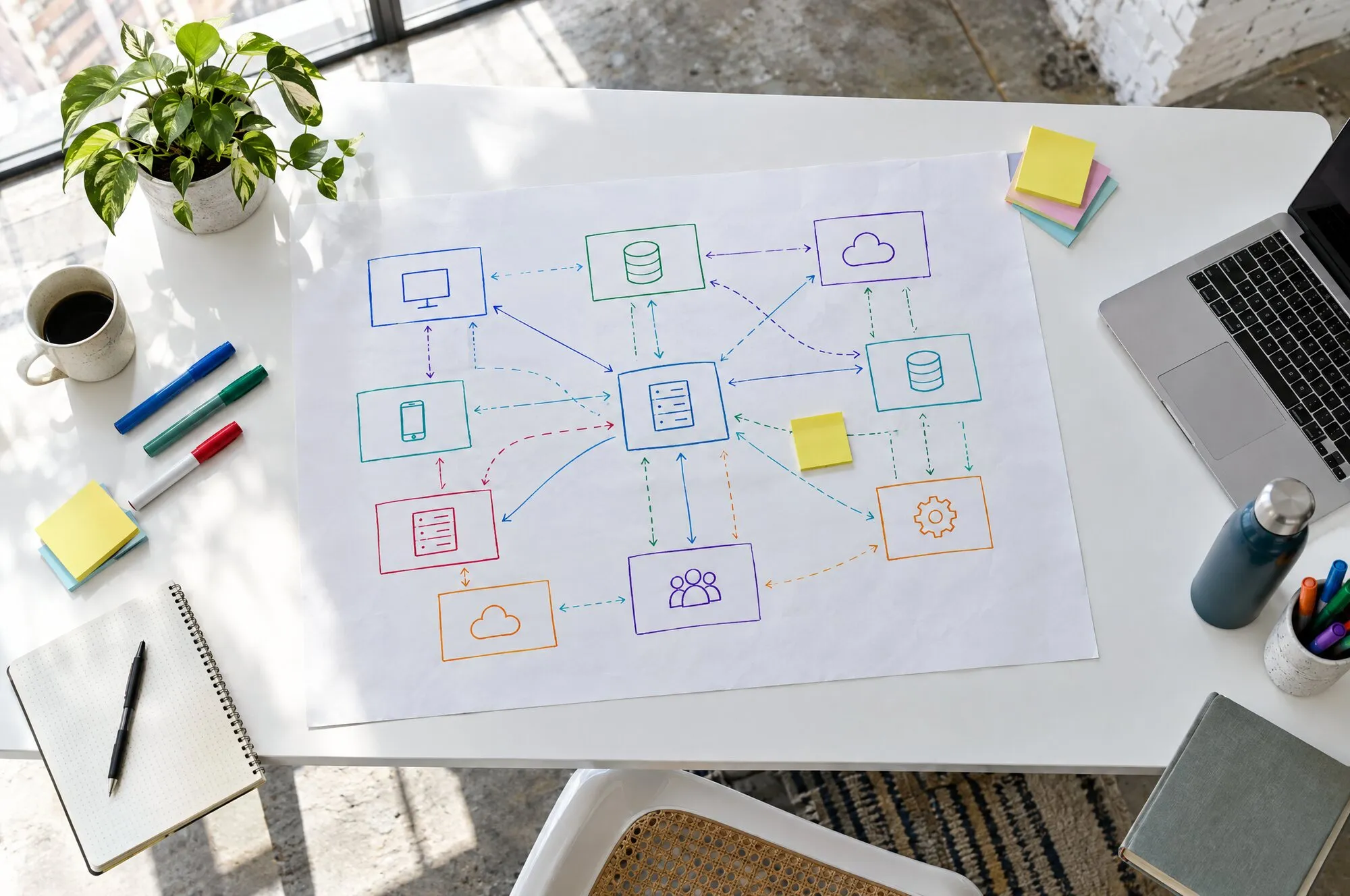
Mappa dei sistemi aziendali con i collegamenti disegnati
01The software map, showing what passes from one tool to another and when.
Flusso a nodi che collega shop, CRM, email e un modello AI
02The flows, open and readable. You can change them even without us.
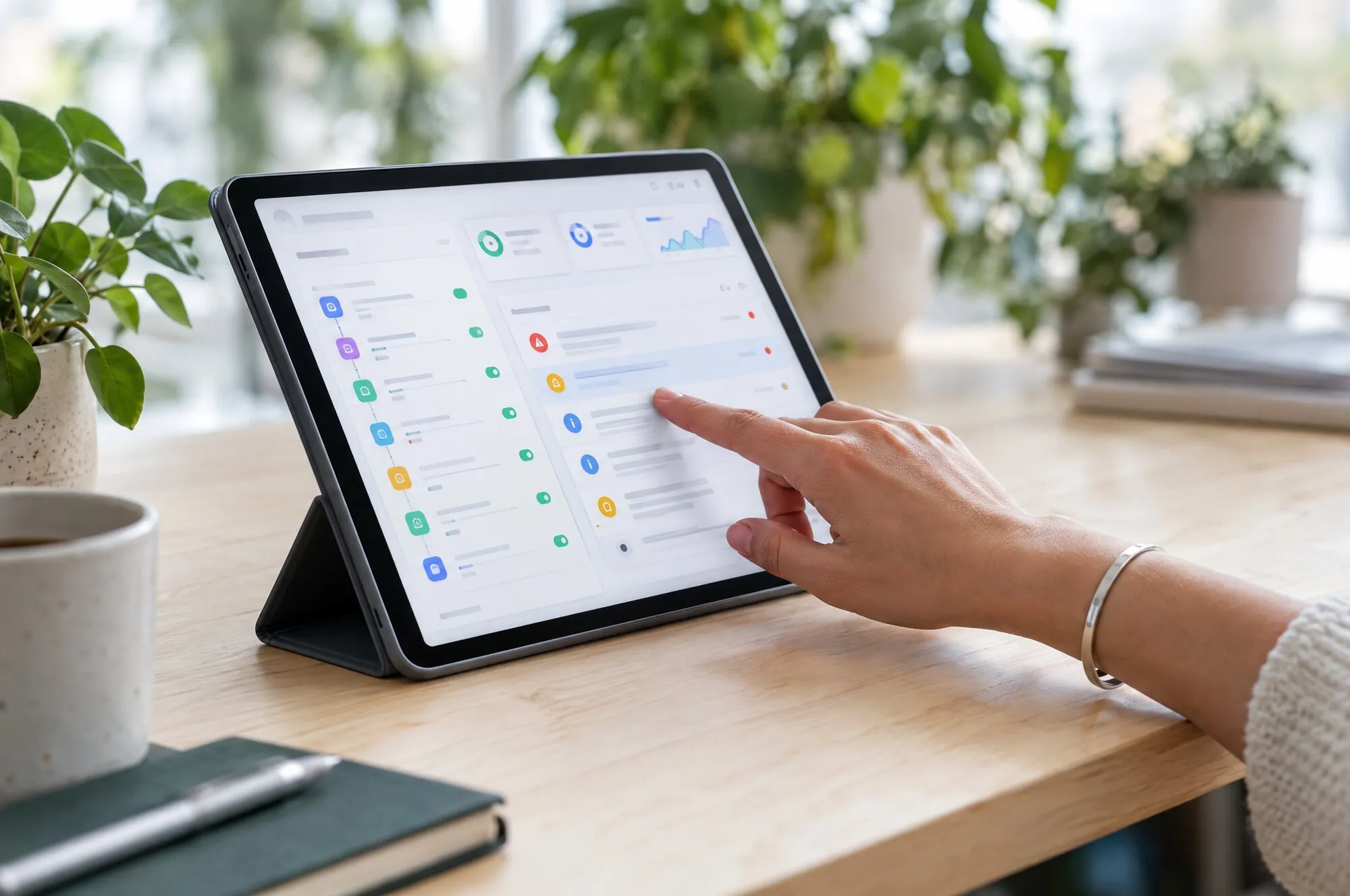
Pannello con lo stato dei flussi e gli ultimi avvisi
03The control panel, which alerts you when something stops.

WHAT WE WORK WITH

n8nMakeREST APIsWebhooksTypeScriptPythonSupabasen8nMakeREST APIsWebhooksTypeScriptPythonSupabasen8nMakeREST APIsWebhooksTypeScriptPythonSupabasen8nMakeREST APIsWebhooksTypeScriptPythonSupabasen8nMakeREST APIsWebhooksTypeScriptPythonSupabasen8nMakeREST APIsWebhooksTypeScriptPythonSupabasen8nMakeREST APIsWebhooksTypeScriptPythonSupabasen8nMakeREST APIsWebhooksTypeScriptPythonSupabase
PostgreSQLClaudeOpenAIBrevoShopifyWooCommerceGoogle SheetsPostgreSQLClaudeOpenAIBrevoShopifyWooCommerceGoogle SheetsPostgreSQLClaudeOpenAIBrevoShopifyWooCommerceGoogle SheetsPostgreSQLClaudeOpenAIBrevoShopifyWooCommerceGoogle SheetsPostgreSQLClaudeOpenAIBrevoShopifyWooCommerceGoogle SheetsPostgreSQLClaudeOpenAIBrevoShopifyWooCommerceGoogle SheetsPostgreSQLClaudeOpenAIBrevoShopifyWooCommerceGoogle SheetsPostgreSQLClaudeOpenAIBrevoShopifyWooCommerceGoogle Sheets

We did it for

THE PROJECTS WHERE
WE DID IT

All our work

Better said up front

WHEN WE ADVISE AGAINST AN INTEGRATION

NO

The process changes every week

Automating a process that hasn't settled yet means redoing it every month. First we put it in writing, then we connect it.

NO

An official connector already exists

Sometimes the two platforms already talk to each other and you just need to switch on a setting. We'll tell you and switch it on, without building anything.


NO

The data is a mess

If the same customer is written in five different ways, an integration just moves the mess around faster. In that case we start by cleaning up.

The questions we get asked

THE QUESTIONS WE GET ASKED MOST

What is a platform integration?

It's a connection that moves data from one program to another on its own. An order in the shop that creates the customer in the CRM and the line in the management software. A lead from the website that goes into the right email list. It's built with the platforms' APIs (the doors they use to exchange data), with tools such as n8n and Make or with custom-written code.

Which is better, n8n, Make or custom code?

It depends on the flow. n8n and Make are quick to build and easy to read, and they're perfectly fine in most cases. Code is needed when volumes are high, rules are complicated or a ready-made connector doesn't exist. We often use them together: the flow in n8n, a piece of code for the tricky step.

What can AI do inside an automation?

Read a PDF or an email and extract the data, sort requests and reports, draft a reply or a product description, summarise a customer's history. It's a step in the flow: it receives something and returns a result that can be checked. Where the decision carries weight, a person approves it.

Can I keep my data in-house?

Yes. n8n can be installed on your own servers or on a dedicated server, and AI models can also be chosen according to where they process data. Each flow only gets the access it needs, and we keep a log of what passes through.

Who takes care of maintenance?

We can do it, with checks and alerts, or train someone on your team. Either way every flow is documented, so whoever comes next knows what it does and where to make changes.

How much does an integration cost?

It depends on how many programs, how many flows and how much data passes through them. After the initial map we give you a quote for each integration, so you can start with the one that saves the most hours.

We’ve written about it

WHAT WE’VE WRITTEN ABOUT IT

All articles
Due persone davanti a uno schermo con un flusso di automazione aperto

TELL US WHICH SOFTWARE
ISN'T TALKING

On a call we list the software you use and the points where data is copied by hand. The first two or three automations to build usually emerge straight away.

Ask for information

Development and integrations: how would it work for you?

Tell us what you’re interested in and where you’re starting from. The person who runs this service at the agency will get back to you with timing, approach and a rough idea of costs for a case like yours.

What are you interested in for Development and integrations?

© 2026 Digital Runner srl · Corso Valdocco 2, Torino · VAT no. 13026050016
Privacy PolicyCookie Policy

Ask for information

Development and integrations

Someone from the team will reply within one working day.

What are you interested in for Development and integrations?

Or call us: +39 011 19118420