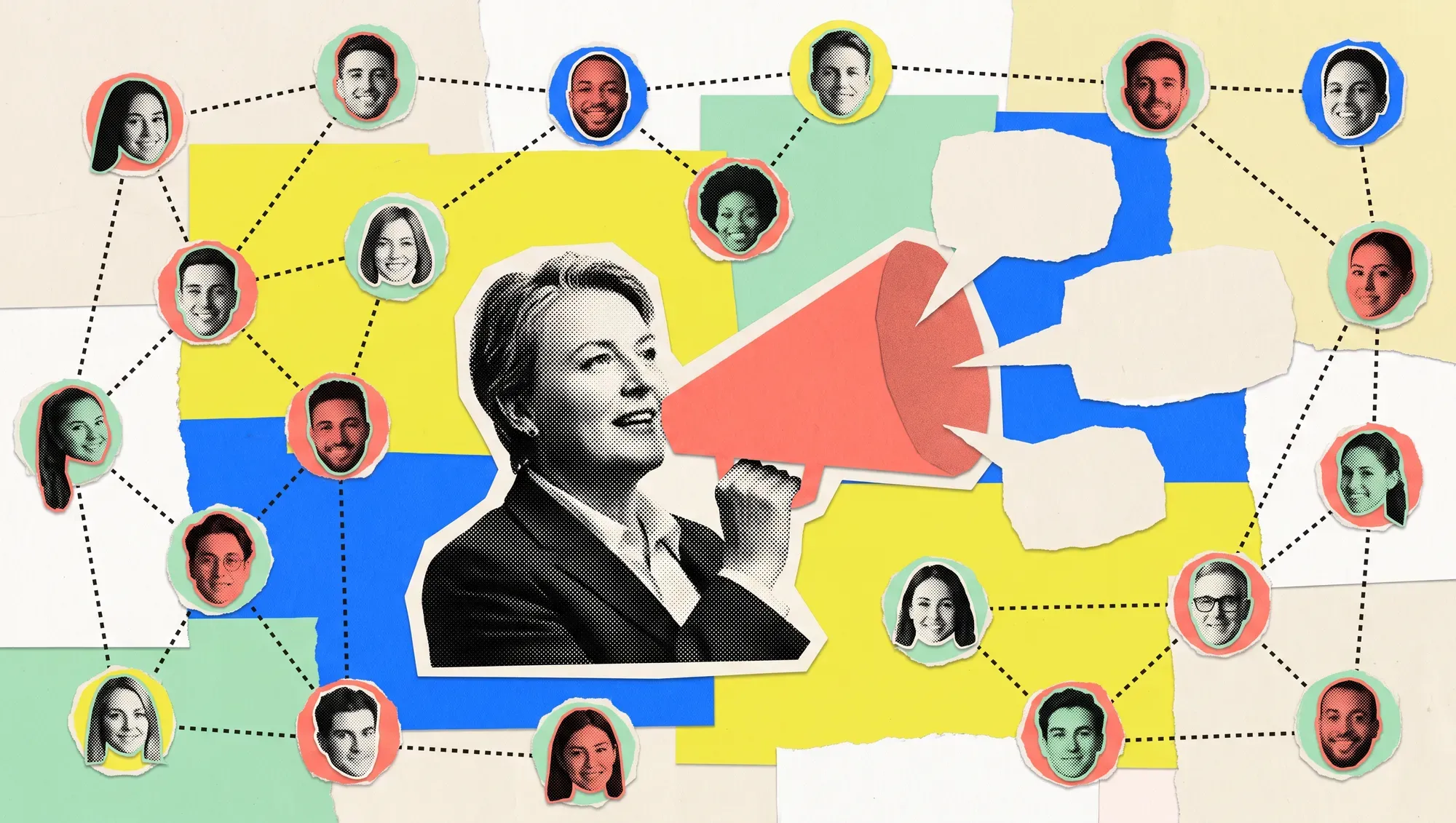



































Employee advocacy: how to turn your employees into brand ambassadors on LinkedIn
Alessandro Papa17 min read

IN SHORT
Employee advocacy is a programme in which the people in a company choose to talk about their work on LinkedIn, with clear rules and ready-made material. It works because personal profiles generate more conversations than the company page. For an SME, all you need is five to ten volunteers, a one-page policy, a weekly content kit to rewrite in their own words, an hour of training and a few metrics: participation, audience reached, conversations.
Topic of our service Social Media & Content · industry B2B & Manufacturing
A 40-person company that builds electrical control panels posts a photo on its LinkedIn page of the acceptance test of a system for a German customer. A page with 900 followers, a few dozen reactions, almost all from colleagues. The same day, the engineer who ran the test posts two lines and a crooked photo from his own profile: “Three weeks of work, today we switch it on”. Comments come in from suppliers, from a former colleague who now works at a customer, and from a maintenance manager asking how you handled the wiring. The owner reads them and emails everyone: “Like the company’s posts”. For a couple of weeks a few people do, then nobody does.
The short answer: employee advocacy isn’t asking employees for likes, it’s giving the people who want to talk about their work the rules, the material and the time to do it. It works because people’s posts generate more conversations than the page’s and reach networks the company can’t reach on its own. For an SME, all you need is five to ten volunteers, a one-page policy, a content kit every week to rewrite in their own words, an hour of training and a few metrics. Voluntary participation, never identical texts, results read in conversations rather than likes.
This article is about the programme that involves several people in the company. How to set up the company page is covered in LinkedIn for business; how to sort out your profile and post consistently, for the owner or a manager, is in the guide to LinkedIn personal branding.
What is employee advocacy, in practice?
Employee advocacy is the set of rules, material and habits that help the people in a company talk about their work on their own social profiles, by choice and in their own voice. In B2B the main channel is LinkedIn, because that’s where customers, suppliers and candidates look to see who is behind a company.
A post shared now and then isn’t a programme. It becomes one when someone looks after it, there are written rules, content arrives regularly and every month someone checks what happened.
| It is employee advocacy | It isn’t employee advocacy |
|---|---|
| An engineer describes an acceptance test in his own words | Everyone reposts the same post with the same text |
| A salesperson comments on an industry post with a real experience | An internal email asking people to hit like |
| The company prepares ideas, photos and data to use freely | Mandatory texts to copy and paste |
| Anyone who doesn’t want to take part doesn’t | A monthly post target in the performance review |
| Conversations and contacts are measured | Only the number of shares is counted |
Why do people’s profiles reach where the page can’t?
Because a person talks to their own network, built up over years of work, and because on social media people respond more readily to a person than to a logo. The company page starts from its followers; ten colleagues start from ten different networks that only partly overlap.
The data needs reading carefully. Metricool’s 2026 LinkedIn study, covering more than 670,000 posts from around 63,000 accounts, reports a 63% higher engagement rate for personal profiles than for company pages and 237% more comments per post, with similar average impressions. Pages, on the other hand, get reposted far more often. In other words: people aren’t magically “seen” more than the page, but they generate many more conversations. And contacts come from conversations.
The same study points out a useful detail: on personal profiles, posts with an external link get fewer impressions and interactions on average, while on pages the link isn’t penalised. It comes from a single source, so we treat it as a pointer: when you ask colleagues to talk about a guide, the post should stand on its own and the link shouldn’t be the point.
There’s also a reason no study measures well. In B2B, buyers want to know who they’ll be working with: who answers the support line, who comes to do the installation, who runs the project. The profile of an engineer describing an acceptance test says more than a brochure about quality. In our article on the B2B customer journey we put it this way: human contact is still decisive, even when the journey is almost entirely digital.
A word of warning. In March 2026 LinkedIn announced changes to the feed targeting groups that trade interactions, automated comments and third-party tools that fake conversations. An advocacy programme made of likes on command and carbon-copy texts is exactly the behaviour the feed is learning to ignore.
When is an employee advocacy programme worth it for an SME?
It’s worth it when the company sells to other businesses, has people whose skills customers value and at least a few willing to be seen. It isn’t when the internal climate is difficult: no communication programme will hide that, and asking people to speak well of the company makes things worse.
| Signal | Time to start | Better to wait |
|---|---|---|
| Market | B2B, customers who research before buying | Low-value sales and instant decisions |
| People | Engineers, salespeople, designers with experience to share | Nobody uses LinkedIn or wants to start |
| Company page | Active, with content to build on | Idle for months |
| Internal climate | People speak well of their work, even outside | High turnover, open tensions |
| Time | Someone can give it two or three hours a week | Nobody can look after it |
The row about the page matters more than it seems: the programme needs raw material. If the page publishes nothing, it’s better to sort out the social media content plan first and then involve people.
Who should you involve first?
Five to ten volunteers, chosen from people who already use LinkedIn or want to start, with different roles. A few people who believe in it are better than forty who have been told to. The others follow when they see their colleagues getting comments and messages.
| Role | What they can talk about | Who they reach |
|---|---|---|
| Owner or management | Choices, investments, how the market is changing | Long-standing customers, trade associations, banks, other business owners |
| Salespeople | Customer questions, trade fairs, problems solved | Buyers, purchasing managers, resellers |
| Engineers and designers | Machining, acceptance tests, mistakes to avoid | Customers’ engineering, maintenance and production teams |
| Customer support | Frequently asked questions, call-outs, usage tips | People who already use the product |
| HR | What it’s like to work there, training, onboarding | Candidates, schools, technical colleges |
The owner should be there, but shouldn’t be the only one. And not everyone needs to write posts: for some, the right contribution is three good comments a week.
What rules do you need to get started?
One page is enough, written simply and approved by management and HR. Its job is to clear up the doubts (“can I talk about this customer?”) that hold people back more than lack of time.
The points we always include:
- Voluntary participation. Anyone who doesn’t want to take part doesn’t, with no consequences. The LinkedIn profile belongs to the person, not the company.
- What not to say. Customer names without their consent, prices and commercial terms, confidential technical data, internal problems, photos of areas where filming isn’t allowed.
- What you can say freely. Your own work, what you’ve learned, content already published by the page, trade fairs and public events.
- How to behave in discussions. No arguments with competitors or customers; if criticism of the company comes in, pass it to whoever manages the page instead of replying on your own.
- Transparency. Anyone talking about the company’s products should make it clear they work there: an up-to-date profile usually does the job, but in posts about a product it’s worth saying so.
- Artificial intelligence. You can use it to organise your ideas, but the post has to stay in the voice of whoever signs it. A text generated and published without edits is easy to spot.
- Who to ask. The name of the person who answers questions, with a reasonable response time.
Rewards are a delicate point. A leaderboard of who shares the most sounds like fun, but it pushes towards quantity and carbon-copy texts. Recognising in a meeting the post that led to a useful conversation works better. If you’re thinking about financial incentives tied to posts, talk to whoever handles legal and employment matters first: it changes the relationship between people and what they write.
What to share: how do you prepare a ready-made content kit?
Every week, or every two, the person coordinating the programme sends participants a small kit: the page content to start from, two or three ideas for telling it in a personal way, a photo or document to use, and a suggestion for those who’d rather just comment. “Ready-made” means ready to adapt, not to copy.
| Kit item | Example (invented for illustration) | Why it helps |
|---|---|---|
| Starting content | The page’s carousel on five mistakes in sizing control panels | Gives everyone the same topic |
| Three different openings | “The mistake I see most often on site is…”, “A customer asked me…”, “We changed our minds about…” | Everyone picks the one closest to their experience |
| Visuals | Two real photos from the shop floor, a slide from the carousel | Your own photo works better than a stock image |
| Comment idea | A trade association post on the same topic | For those who don’t want to write a post |
| What to avoid | The customer’s name, the price of the system | Clears up doubts before they arise |
Three ways to take part
- Repost with your own comment. The simplest level: you take the page’s post and add two lines on what you think about it. A repost without text adds little.
- Write your own post from the prompt. The engineer describes his favourite mistake, the salesperson the question she hears most often. This is the level that brings the most conversations.
- Comment. A thoughtful comment under a post by a customer, a trade fair or a colleague is read by people who don’t follow you yet.
The balance between company and person
If a profile only posts company content, it becomes a second page and the network stops reading it. A practical rule: no more than one post in three or four directly about the company. The rest is the person’s work, their industry, their opinions. That’s also what makes the company posts credible when they come.
How do you organise it without paid platforms?
For an SME with fewer than twenty participants, LinkedIn’s own tools, an internal chat channel and a shared spreadsheet are enough. Dedicated platforms make sense later, if the programme grows.
LinkedIn’s tools are few, and it’s worth knowing what has changed. The “My Company” tab and the page’s employee advocacy analytics are no longer available, having been phased out gradually from November 2024: many guides online still mention them. What remains is the Notify employees feature, which according to LinkedIn’s guide an admin can use once a day, not for targeted posts and not twice on the same post. As we explained in the article on the company page, keep it for important posts. When a colleague mentions the page in a post, the mention shows up in the Activity tab and the page can reply or repost.
The rest is organised like this:
- An internal channel (Teams, Slack or a messaging group) where the kit goes out and where people flag colleagues’ posts to comment on.
- A shared spreadsheet with date, participant, type of contribution and what happened next: comments from people in the target audience, messages, enquiries.
- Half an hour a month in which the coordinator gathers the best examples and shows them to everyone.
What about employee advocacy platforms?
Sociabble, Haiilo, DSMN8, GaggleAMP, EveryoneSocial and the like gather content in an app, send reminders, suggest texts and measure shares and clicks. Pricing is almost always on request or tied to the number of users, with annual subscriptions: for a company with five to ten participants, the cost and set-up time are rarely justified. They make sense when participants number in the dozens, perhaps across several sites and languages.
One caution in any case: avoid tools that post or comment automatically from people’s profiles. That’s what LinkedIn said it wants to tackle with its 2026 feed update, and the risk falls on your colleague’s profile, not the company’s.
How do you train the people taking part?
With an initial session of an hour and a half and a short meeting every month. Training is there to remove two fears: “I don’t know what to write” and “I’m afraid of getting it wrong”. The rules remove the second, examples the first.
| Moment | Content | Duration |
|---|---|---|
| Why we’re doing it | What the company gains and what the person gains: professional visibility, contacts, recognised expertise | 15 minutes |
| The rules | The one-page policy, with examples of what you can and can’t say | 15 minutes |
| The profile | Photo, headline, experience linked to the company page, checked one by one | 25 minutes |
| The first post | Everyone picks a prompt and writes a draft, which is read together | 25 minutes |
| How to comment | Three examples of useful comments and three of useless ones | 10 minutes |
The profile needs little: anyone who reads a post clicks on the name, so the photo, headline and experience linked to the official page (that’s how LinkedIn recognises employees) should be sorted before the first post. Then, every month, half an hour to look together at two or three posts that worked and understand why.
When is it worth sponsoring colleagues’ posts?
When a colleague’s post does well on its own and speaks to an audience the company wants to reach. With Thought Leader Ads the page asks for permission, the author approves, and the post runs as an ad with the person’s name and photo, to an audience chosen by job function, industry or company list.
This is where employee advocacy meets advertising. In Account-Based Marketing programmes it’s one of the most useful formats, because it puts one person in front of another person at the target company. Two conditions: the author has to know the post will be sponsored and what that involves, and the comments that come in are still theirs to handle. How to set up targeting and budget is covered in the guide to LinkedIn Ads for B2B.
How do you measure an employee advocacy programme?
On four levels: how many people really take part, who they reach, how many conversations start and what reaches the company. The number of shares on its own says little.
| Level | What to measure | Where to find it | How often |
|---|---|---|---|
| Participation | Active participants in the month, contributions by type (posts, reposts, comments) | Shared spreadsheet | Every month |
| Audience | Job functions, industries and companies of the people who saw the posts | Individual post analytics | Every month, by sample |
| Conversations | Comments from people in the target audience, private messages, connection requests from the industry | Participants’ profiles, spreadsheet | Every month |
| Effects for the company | Contacts who mention a post, job applications, new target followers on the page | CRM, HR, page analytics | Every quarter |
LinkedIn’s post analytics show each author impressions, members reached, interactions and data on who saw the content, such as job title, industry and company. This is the person’s data: ask participants to note two or three figures in the spreadsheet once a month, without asking for access to their profiles.
The most useful indicator is also the simplest to collect: a field in the CRM where the salesperson notes when a contact says “I saw the post by…”. After six months you can tell whether the programme is bringing anything in.
An example, with figures invented for illustration: eight participants, six of them active each month, produce around forty posts and a hundred comments in a quarter. Three quote requests mention a post by an engineer, two candidates at interview say they followed the posts from the shop floor. The page gains followers mainly from companies in the industry. Decision: carry on, add two people from customer support, and sponsor the engineer’s post that led to the most conversations.
Mistakes to avoid
Making participation mandatory. Posts written out of duty are easy to spot, and people who feel forced stop as soon as they can. The profile belongs to the person.
Sending texts to copy and paste. Ten identical posts on the same day look like a coordinated campaign, because they are. LinkedIn’s feed treats them accordingly.
Asking for likes instead of conversations. A like on command brings nothing. A comment with a real experience brings new readers.
Leaving it all to the owner. If only the owner writes, it isn’t an employee advocacy programme. The value lies in the different voices.
Measuring only shares. What counts is the audience reached, the conversations and what reaches the company.
Checklist to get started
- One person coordinating the programme, with two or three hours a week.
- A one-page policy, approved by management and HR.
- Five to ten volunteers in different roles.
- Profiles sorted out and linked to the company page.
- An internal channel for the kit and a spreadsheet to log contributions.
- A CRM field for contacts who mention a post.
- A half-hour meeting every month to look at the best examples.
Want to start an employee advocacy programme in your company?
We work on the LinkedIn presence of B2B companies: the page’s content plan, writing posts, carousels and videos, a monthly look at the numbers. An employee advocacy programme starts from the same work: the stories are already in the company, and the page’s content becomes the raw material for colleagues. We can help you set up the rules, the kit and the measurement and, when a post works, give it a boost with campaigns. You’ll find our approach on our social media and content services page.
You can book a call with Federico or write to us using the contact form.
Frequently asked questions
What is employee advocacy on LinkedIn?
It’s a programme in which the people in a company choose to talk about their work on their own LinkedIn profiles, with clear rules and material prepared by the company. It isn’t asking for likes on the page’s posts: it works when everyone talks, in their own words, about what they know.
Can you make an employee share the company’s posts?
It’s not a good idea. The LinkedIn profile belongs to the person, and posts written out of obligation are easy to spot and don’t lead to conversations. A good programme is voluntary and grows when colleagues see the results of those who take part.
How many employees do you need to start?
Five to ten volunteers in different roles are enough, for example a salesperson, two engineers, someone from customer support and the owner. A few people who believe in it are better than many who have been told to.
Do you need an employee advocacy platform?
For an SME starting out, no: the page’s Notify employees feature, an internal channel and a shared spreadsheet are enough. Dedicated platforms make sense when participants number in the dozens, perhaps across several sites.
How can you tell if the programme is working?
Look at active participants, the audience reached by the posts, conversations with people in the target audience and contacts who mention a post. The number of shares alone isn’t enough. After a quarter, the data is enough to decide whether to expand the programme.
 FREE GUIDE · 24-PAGE PDFBrand kit for ad campaigns: a practical guide to consistent visuals and creative that convertsA method for writing the brand kit your campaigns need: rules, formats, templates and checks so that ads, landing pages and materials come out consistent, recognisable and built to convert.Read it or download the PDF